
How to Download and Use GameHub Android Emulator (Step-by-Step Guide)

 4 min. read
 Updated on

Playing PC games on your phone used to mean clunky workarounds or expensive streaming subscriptions. GameHub Android emulator download changes everything. This free app from GameSir lets you play Windows games, access your Steam library, and stream from your PC through a single interface.
GameHub simplifies the process. Download the app, sign in, and start playing. The emulator handles compatibility automatically.
What is GameHub Android Emulator
GameHub is an all-in-one gaming platform that brings PC games to Android through Windows emulation, cloud gaming, and local streaming.
Windows emulation forms GameHub’s core feature. The app runs Windows games natively on Android without needing a separate PC, but Steam integration sets it apart. The app allows you to sign into your Steam account and download games directly from Valve’s servers onto your Android device. Cloud saves sync automatically between desktop and mobile.
The app currently targets devices running Android 8.0 or higher. GameSir optimized performance for devices with Mali GPUs, particularly Google Pixel phones. Other devices work fine, but Mali-equipped phones deliver the smoothest experience.
GameHub Android Emulator Download
Getting started with GameHub requires downloading from official sources. The app is completely free with no hidden costs for basic features.
Download from the Google Play Store
Open the Play Store app and search for “GameHub.” Look for the app published by GameSir, and be careful of any apps with similar names
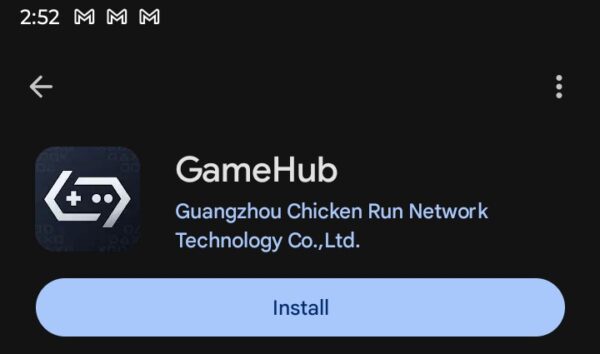
Tap Install and wait for the download to complete. The Play Store version includes automatic updates and security verification. This version doesn’t support external storage, so you’ll need to download games through Steam.
Download from the Official Website
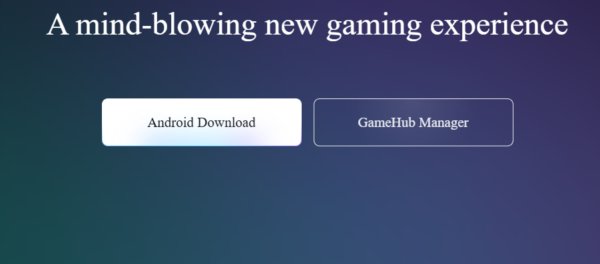
GameSir’s official website at gamehub.xiaoji.com offers direct APK downloads. This version supports external storage. To get started, click Android Download and save the APK file.
Enable Unknown Sources in Settings, Security, then toggle Install unknown apps. Select your browser and allow installations. Locate the downloaded APK in your Files app and tap it to install.
Setting Up GameHub
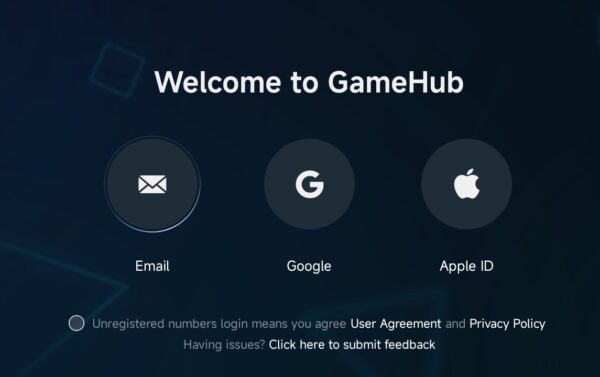
The initial setup determines how well GameHub performs on your device. Open GameHub after installation. Create an account using email, Google account, or Apple ID. Your account syncs settings and game progress across devices.
Link Your Gaming Accounts
To link your accounts, you’ll need to navigate to settings and tap Steam Login to authorize access. The app redirects to Steam’s login page. Enter your credentials and authorize. GameHub also supports Xbox Cloud Gaming integration for Game Pass titles.
Download and Configure Games
Once synced, you can browse your Steam library within GameHub and tap any game to see compatibility information. GameHub automatically detects your hardware and downloads appropriate compatibility files.
For optimal performance, choose between quality presets: Extreme, Balanced, and Compatible. Start with Balanced and adjust the settings based on performance.

Configure Controls
GameHub supports touch controls and physical controllers. The app automatically maps controls for popular games. You can long-press the screen during gameplay to access customization. GameSir controllers connect instantly, but other Bluetooth and USB-C controllers work too.
The Bottom Line
GameHub Android emulator download represents another approach to PC gaming on Android. The app consolidates emulation, cloud gaming, and streaming into one interface. Steam integration makes accessing your game library effortless.
Performance depends on your device hardware, and reviews are mixed at this time. Modern phones with 8GB RAM handle most games smoothly, but you’ll want to start with lighter games before attempting AAA releases. While rough around the edges, the app receives regular compatibility improvements through updates.
Running PC games consumes significant battery power. Expect 2-3 hours of gameplay on average. Performance modes affect battery life. Compatible mode conserves more battery than Extreme mode.
Yes, for emulated games. Download games through Steam while online, then play offline. Cloud gaming features require a constant internet connection. Local streaming needs both devices on the same network.
GameHub supports many Steam games, particularly older titles and indie games. Compatibility varies by device hardware. The app provides game-specific compatibility ratings showing which titles run well on your device.
No. GameHub’s emulation feature runs Windows games directly on your Android device without requiring a separate PC. Cloud gaming and local streaming features do require a PC or an active cloud service subscription.


Improve this guide
User forum
0 messages