
Top Alternatives to Nova Launcher for Android Customization

 5 min. read
 Published on
Nova Launcher dominated Android customization for over a decade, but its development recently stopped in September 2025. If you’re looking for Nova Launcher alternatives, you’ll find plenty of excellent options that can match or even exceed Nova’s capabilities.
The Android launcher scene has evolved significantly over the years. Modern alternatives offer everything from extreme customization to minimalist designs, and many are free or open source. Whether you want a direct Nova replacement or something completely different, there is an option out there for you.
What is Nova Launcher
Nova Launcher was an Android home screen replacement that let users customize nearly every aspect of their phone’s interface. You could change icon sizes, grid layouts, gestures, animations, and app drawer styles. The app supported thousands of icon packs and offered backup features to save your perfect setup.
Branch acquired Nova in 2022, which concerned many users about data collection and privacy. In August 2024, Branch laid off most of the Nova development team. By September 2025, the founder announced he was leaving the company entirely. Nova still works on current Android versions, but without updates, it will eventually become incompatible with future Android releases. That’s why switching to an alternative now makes sense.
Best Nova Launcher Alternatives
Finding the right launcher depends on what you value most. Some users want maximum customization, others prefer simplicity, and some need specific features like foldable support or Microsoft integration. Here are the top options for 2025.
Lawnchair
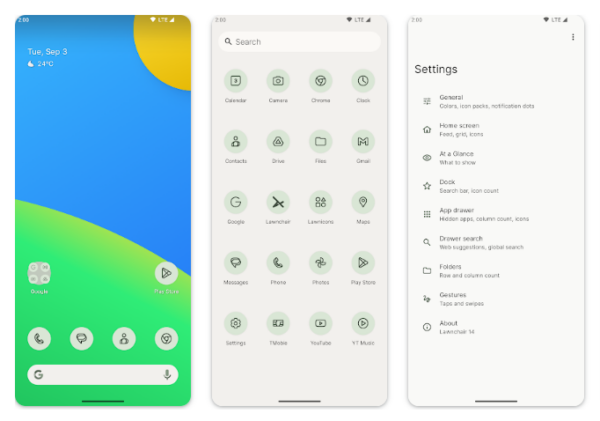
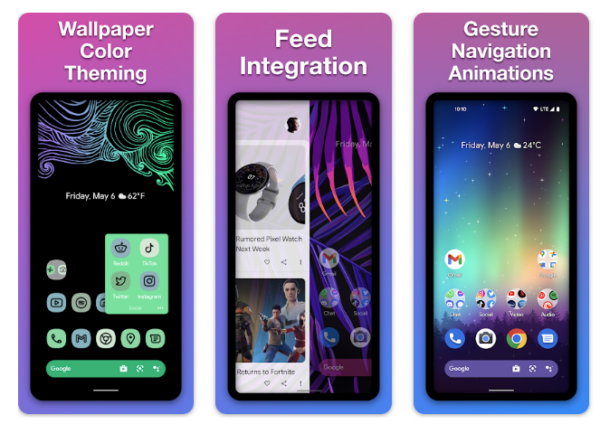
Lawnchair sits at the top of most recommendation lists as the closest Nova replacement. It’s free, open source, and offers a clean Pixel-inspired interface with serious customization depth. The launcher supports gesture controls, icon packs, custom grid sizes, and backup options. The app integrates Material You theming, which means colors automatically match your wallpaper.
Development stays active with frequent updates and community support. The open source nature means no data collection concerns. If you’re migrating from Nova and want something familiar but modern, Lawnchair delivers without requiring a paid upgrade.
Smart Launcher 6
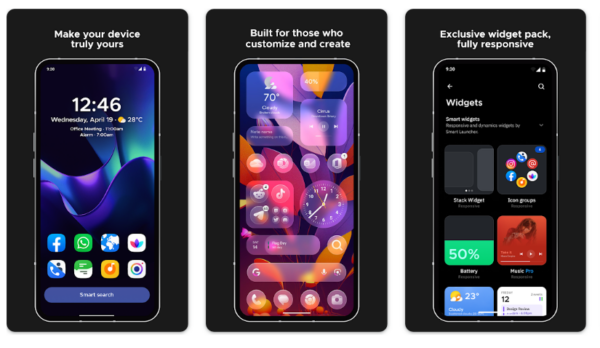
Smart Launcher 6 automatically organizes your apps into intelligent categories, eliminating the need for manual folder management. The launcher sorts apps by type, and the interface adapts colors to match your wallpaper automatically. It even lets you import Nova Launcher backup files, making the transition seamless.
The free version includes most features, but the Pro upgrade unlocks additional customizations like custom gestures and enhanced backup options. Smart Launcher is perfect for users who want organization without constant manual tweaking.
Niagara Launcher
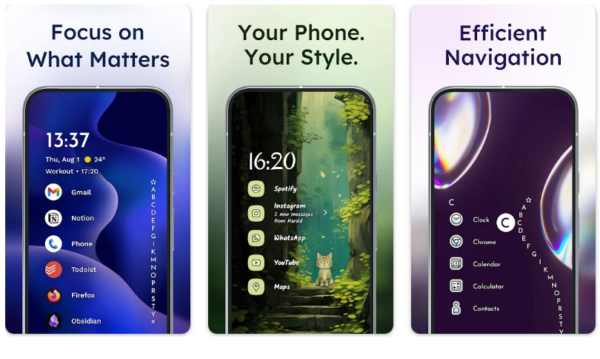
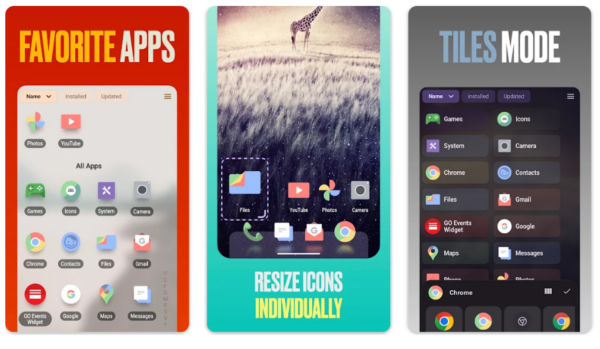
Niagara focuses on minimalism and one-handed use. Instead of traditional home screens filled with icons, Niagara displays your favorite apps in a single vertical list. An alphabetical scrollbar provides quick access to everything else. Notifications integrate directly into the app list, with spam automatically filtered out.
Niagara works exceptionally well on large phones where reaching across the screen becomes tedious. The free version offers core functionality, while the premium upgrade adds features like custom gestures and weather widgets. If you’re tired of cluttered home screens, Niagara offers a refreshing alternative.
Microsoft Launcher
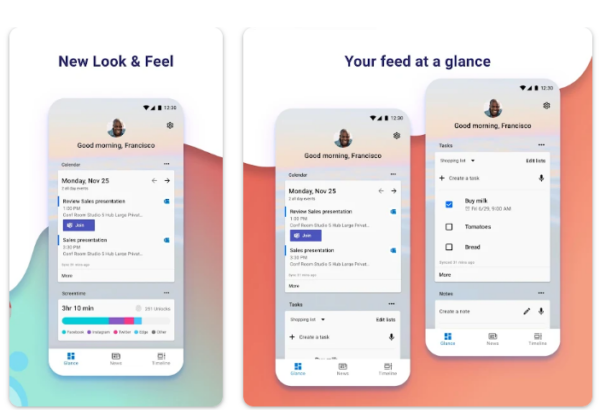
Microsoft Launcher makes sense if you use Microsoft’s ecosystem heavily. The launcher integrates seamlessly with Outlook, OneDrive, Office apps, and Copilot AI assistant. Your calendar and emails sync directly to a dedicated feed page, keeping work information accessible. Customization options include icon styles, gestures, dock configurations, and blur effects.
The interface feels polished and professional. Microsoft Launcher has been downloaded over 50 million times and maintains regular updates. If you’re already invested in Microsoft services or use Windows PCs regularly, this launcher creates a cohesive cross-platform experience.
Action Launcher
Action Launcher combines Pixel-style aesthetics with innovative features not found in stock launchers. The Quicktheme feature automatically matches your launcher colors to your wallpaper, ensuring visual consistency. Covers let you access apps with a tap or reveal folders with a swipe, saving home screen space. Shutters provide quick widget previews without permanently displaying them.
The free version includes most features, though some users report that features become limited without continued “support” payments. Action Launcher adopts new Android features quickly, often faster than device manufacturers roll out updates. If you want innovation beyond basic customization, Action Launcher offers creative solutions.
Octopi Launcher
Octopi specifically targets foldable phone owners, making it unique in the launcher market. The launcher optimizes layouts for both folded and unfolded screens, taking full advantage of the extra real estate. You can set different home screen configurations for each screen mode. Features include customizable gestures, icon pack support, and Material You theming.
The app is relatively new compared to established options, so the feature set isn’t as comprehensive as Nova or Lawnchair. For foldable users who feel underserved by traditional launchers, Octopi fills an important niche.
The Bottom Line
The best Nova Launcher alternatives for 2025 offer something for everyone, from maximum customization to minimalist simplicity. Most options are free to try with optional paid upgrades for advanced features. Test a few different launchers before committing to find which workflow fits your needs best.


Improve this guide

User forum
0 messages