
How to Download and Install Nova Launcher Prime APK (Step-by-Step Guide)

 4 min. read
 Updated on
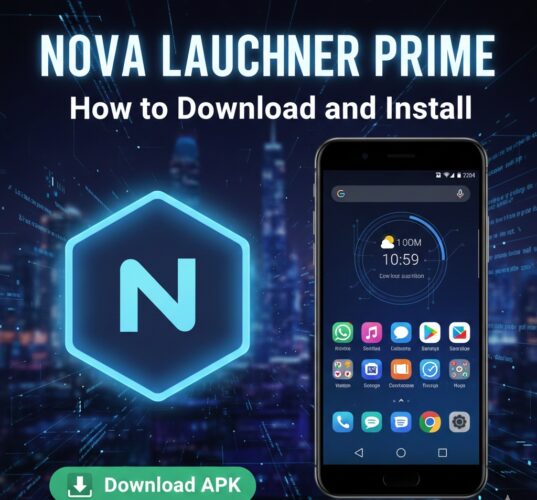
Nova Launcher Prime is one of the most popular Android launcher upgrades for users who want full control over their home screen. While the free version of Nova Launcher offers solid customization, Nova Launcher Prime unlocks premium features like gesture controls, unread count badges, advanced app drawer options, and more.
In this guide, you’ll learn how to download and install the Nova Launcher Prime APK safely, plus how to activate it correctly on your Android device.
What Is Nova Launcher Prime?
Nova Launcher Prime is the paid upgrade to the standard Nova Launcher app. Instead of replacing the launcher itself, Prime acts as a license key that unlocks premium features inside Nova Launcher.
Key Features Unlocked with Nova Launcher Prime
- Gesture controls (swipe, pinch, double-tap actions)
- Unread notification badges
- App drawer groups and tabs
- Hide apps from the app drawer
- Custom icon swipe actions
- Advanced folder options
Note: Nova Launcher must already be installed for Prime to work.
Is It Safe to Install Nova Launcher Prime APK?
Yes—as long as you download it from a trusted source. Since Prime is a paid app on the Google Play Store, many users choose APK installation when:
- The Play Store version isn’t available in their region
- They want to reinstall Prime on a new device
- They’ve already purchased it and need the APK
Avoid modified or cracked APKs, as they can:
- Contain malware
- Cause crashes
- Break future updates
- Violate Google’s terms of service
Requirements Before Installation
Before installing Nova Launcher Prime APK, make sure:
- Android 5.0 (Lollipop) or newer
- Nova Launcher installed on your device
- At least 30MB of free storage
- “Install unknown apps” enabled
Step 1: Install Nova Launcher (Free Version)

If you don’t already have Nova Launcher:
- Open Google Play Store
- Search for Nova Launcher
- Tap Install
- Open Nova Launcher and set it as your default launcher
Learn more about how to install the free Nova Launcher here
Note: Nova Launcher Prime will not work without the base app installed.
Step 2: Download Nova Launcher Prime APK
To download the APK safely:
- Search for “Nova Launcher Prime APK download” on your preferred browser.

- Choose a trusted APK site from the Google search results.

- Choose the latest stable version

- Download the APK file to your device

Step 3: Enable “Install Unknown Apps”
Android blocks APK installations by default. You’ll need to allow it manually.
On Android 8.0 and newer:
- Open Settings
- Go to Security or Privacy

- Tap Install unknown apps

- Select your browser or file manager, then toggle it On or Enable Allow from this source

Step 4: Install Nova Launcher Prime APK
- Open your Downloads folder

- Tap the Nova Launcher Prime APK

- You’ll be prompted to update the existing free version.

- Click Update and Wait for installation to complete

Once installed, no separate app icon will appear—this is normal.
Final Thoughts
Nova Launcher Prime transforms your Android home screen into a fully customizable workspace. By following this guide, you can safely download, install, and activate the Prime APK without issues.
If you’re serious about Android personalization, Nova Launcher Prime remains one of the best upgrades you can make.
Yes, as long as you download from a reputable source. Always scan files for malware before installing.
No, rooting is not necessary for installing or using Nova Launcher Prime.
Yes, you can switch back to your original launcher through the settings menu at any time.
Installing apps from unknown sources typically does not void your device warranty, but it’s advisable to check your warranty terms.
You can update the app by downloading the latest APK from the official website or a reputable source and installing it over the existing version.


Improve this guide

User forum
0 messages