
How to Download and Install Nova Launcher APK (Step-by-Step Guide)

 4 min. read
 Updated on
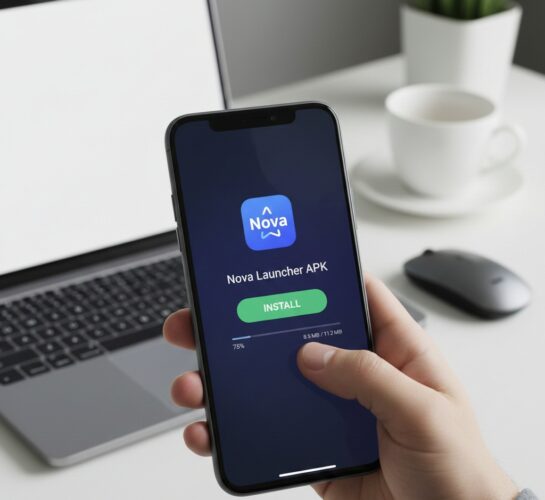
Nova Launcher is one of the most popular Android launchers—and for good reason. It offers deep customization, smooth performance, and features that go far beyond what most stock Android launchers provide.
While Nova Launcher is available on the Google Play Store, many users prefer installing the Nova Launcher APK manually. This can be useful if you want access to a specific version, your device doesn’t support the Play Store, or you’re troubleshooting installation issues.
In this guide, you’ll learn how to safely download and install the Nova Launcher APK on any Android device.
What Is Nova Launcher?
Nova Launcher is a third-party home screen replacement for Android that lets you customize:
- App icons and icon packs
- Grid size and layout
- Gestures and shortcuts
- App drawer appearance
- Animations and scrolling behavior
It works on most Android smartphones and tablets, including Samsung, Pixel, Xiaomi, OnePlus, and more.
Why Install Nova Launcher via APK?
Installing the APK manually gives you more control. Common reasons include:
- Installing Nova Launcher on devices without Google Play Store
- Downgrading to an older version
- Testing beta or discontinued builds
- Fixing Play Store download errors
- Installing Nova Launcher on custom ROMs or Android TV devices
Before You Begin: What You’ll Need
Before installing the Nova Launcher APK, make sure you have:
- An Android device running Android 5.0 or higher
- Internet access
- Enough storage space
- Permission to install apps from unknown sources
Step 1: Enable “Install Unknown Apps”
Android blocks APK installations by default. You’ll need to allow it manually.
On Android 8.0 and newer:
- Open Settings
- Go to Security or Privacy

- Tap Install unknown apps

- Select your browser or file manager, then toggle it On or Enable Allow from this source

Step 2: Download the Nova Launcher APK
To avoid malware, only download APK files from trusted sources.
Recommended sources:


Note: In this case, I used the Official Nova website.
Search for “Nova Launcher APK”, then choose the version that matches your Android version.

Tip: If you’re unsure, download the latest stable release.
Step 3: Locate the Downloaded APK File
Once the download is complete:
- Open your File Manager

- Go to the Downloads folder

- Find the file named something like:
NovaLauncher.apk

Step 4: Install Nova Launcher APK
- Tap the Nova Launcher APK file

- Review the permissions and Tap Install

- Wait for the installation to complete

- Once installed, tap Open or return to your home screen.

Common Issues and Fixes
- Problem: APK file won’t install. Solution: Ensure that you have enabled installation from unknown sources and that the APK file is compatible with your device’s Android version.
- Problem: Nova Launcher crashes on startup. Solution: Clear the app cache and data via Settings > Apps > Nova Launcher > Storage.
- Problem: Missing app icons after installation. Solution: Restart your device and check if the missing icons reappear. If not, reset Nova Launcher settings.
- Problem: Can’t uninstall Nova Launcher. Solution: Go to Settings > Apps > Nova Launcher and select Uninstall.
Final Thoughts
Downloading and installing the Nova Launcher APK is a simple process that unlocks one of the most powerful customization tools on Android. Whether you’re fixing a Play Store issue or installing Nova Launcher on a custom device, following the steps above ensures a smooth and safe setup.
Once installed, Nova Launcher gives you full control over how your Android device looks and feels.
Nova Launcher is available on the Google Play Store, but the APK file must be downloaded from third-party sources for advanced features.
Yes, as long as you download APK files from reputable sources to avoid malware and security risks.
No, installing Nova Launcher will not delete your current setup. You can switch back to your original launcher at any time.
Download the latest APK version from a trusted source and install it over the existing version without uninstalling.
Nova Launcher offers enhanced customization options, gesture controls, and improved performance over many default Android launchers.


Improve this guide
User forum
0 messages