
Comprehensive Comparison: Nova Launcher vs. Nova Launcher Prime

 5 min. read
 Updated on
Picking between Nova Launcher vs. Nova Launcher Prime comes down to how much control you want over your Android home screen. The free version delivers solid functionality without ads. Prime adds gesture controls, notification badges, and organizational tools for power users. Both versions work on any Android device running 5.0 or newer.
Nova Launcher vs. Nova Launcher Prime Comparison
The core difference between Nova Launcher and Nova Launcher Prime is feature depth. The free version gives you the fundamentals to personalize your phone’s appearance and layout. Prime removes limitations and adds productivity tools that streamline how you interact with your device.
Both versions share the same underlying engine. They’re fast, lightweight, and won’t slow down your phone like some heavier launchers. The choice between them depends on whether you need basic customization or want complete control over gestures, notifications, and advanced organizational features.
Features
Nova Launcher
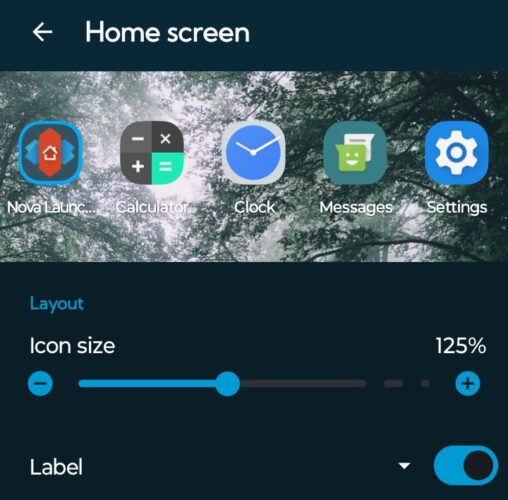
Nova Launcher provides everything most users need for home screen customization. You can adjust icon size from 50% to 150%, change grid layouts up to 12×12, and apply thousands of third-party icon packs. The app drawer supports vertical or horizontal scrolling with customizable page indicators.
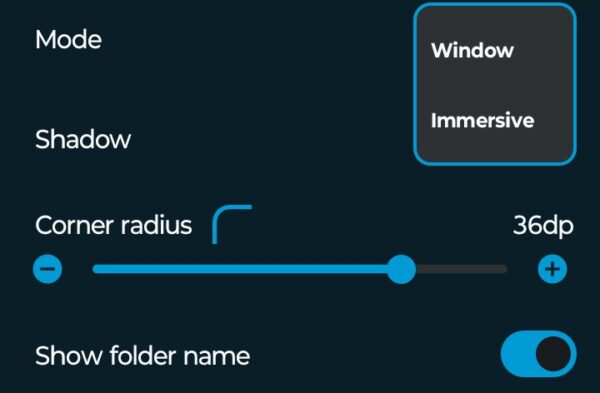
Desktop management includes multiple home screens with transition effects ranging from simple slides to 3D rotations. The dock holds up to seven icons and supports multiple dock pages. Folder customization lets you adjust backgrounds, grid size, and custom icons. The free version includes backup and restore functionality for transferring layouts to new devices.
Nova Launcher Prime
Nova Launcher Prime adds gesture controls that let you assign actions to swipes, pinches, and double taps on empty home screen areas. Custom icon gestures unlock per-icon functionality. Swipe up on any icon to trigger a different action than tapping it.
Unread count badges display notification numbers on app icons for SMS, missed calls, and email using the free TeslaUnread companion app. App drawer groups let you create custom tabs organizing apps by category or any system you prefer. The hide apps feature removes unwanted apps from your drawer without uninstalling them.
Performance
Nova Launcher
Nova Launcher runs smoothly on devices from budget phones to flagships. The free version minimizes RAM usage and battery consumption. Animation speeds can be adjusted or disabled to help older devices feel snappier. Widget performance stays solid even with multiple widgets active, and background processes remain minimal.
Nova Launcher Prime
Performance between Nova Launcher and Nova Launcher Prime is identical. Prime doesn’t add overhead despite unlocking additional features. Gesture responses are instant, and unread count badges update in real time without affecting battery life. RAM usage stays low even with all Prime features enabled on devices with 2GB or more.
Use Cases
Nova Launcher
Nova Launcher works well for users who want visual customization without complexity. The learning curve is gentle, and most features are self-explanatory. People switching from stock launchers find it familiar enough to use immediately. Students and casual users get plenty of personalization without paying or dealing with ads.
Nova Launcher Prime
Power users benefit most from Nova Launcher Prime. People who value efficiency will use gestures constantly to minimize taps needed for common actions. Professionals managing work and personal apps appreciate app drawer groups. Users who rely heavily on notifications need unread count badges to see missed calls, emails, and messages at a glance.
Price & Value
Nova Launcher
Nova Launcher is completely free with no ads or time limits. Most users never need to upgrade. The free version includes features that other launchers charge for. No subscription exists. You can use it indefinitely on unlimited devices without spending money.
Nova Launcher Prime
Nova Launcher Prime costs $4.99 as a one-time purchase with no recurring fees. The price occasionally drops to $0.99 during sales. Gesture controls and unread count badges improve daily productivity for people who rely on their phones heavily. Casual users probably won’t benefit enough to justify the cost.
Pros and Cons
Nova Launcher Pros:
- Completely free without ads or limitations
- Extensive customization options for icons, layouts, and colors
- Fast and lightweight, works smoothly on older devices
- Supports thousands of third-party icon packs
- Backup and restore functionality included
- Receives regular updates alongside Prime
Nova Launcher Cons:
- Limited gesture support compared to Prime
- No unread notification badges
- Cannot hide apps from app drawer
- No custom icon swipe actions
- Missing advanced app drawer organization tools
Nova Launcher Prime Pros:
- One-time payment with no subscription
- Full gesture control system for productivity
- Unread notification badges for multiple apps
- Custom swipe actions on individual icons
- Advanced app drawer groups and organization
- Ability to hide unwanted apps
- Additional scroll effects and customization options
Nova Launcher Prime Cons:
- Costs $4.99 (though occasionally on sale)
- Some features require companion apps like TeslaUnread
- Gesture system has learning curve for new users
- Active development has ended as of 2025
- Future Android updates may break compatibility
Comparison Overview
| Dimension | Nova Launcher | Nova Launcher Prime |
|---|---|---|
| Features | Basic customization options, icon packs, themes | Advanced features like gesture controls, unread counts, and more |
| Price/Value | Free | Paid (one-time fee) |
| Performance | Lightweight, efficient | Similar performance with added features |
| Use Cases | General users looking for basic customization | Power users seeking advanced control |
Nova Launcher vs. Nova Launcher Prime: Which is Better?
For most Android users, the free version provides more than enough customization. You can completely transform your home screen’s appearance, adjust layouts, and apply icon packs without ads or restrictions.
Nova Launcher Prime makes sense for power users who need productivity features. Gestures save time on repeated actions. Unread count badges show notification counts at a glance. App drawer groups help professionals organize work and personal apps efficiently.
Development ended after the original founder left in September 2025. The app still works on current Android versions, but future OS updates could break compatibility. The free version carries this same risk without financial commitment, making it the safer choice unless you specifically need Prime’s advanced features.


Improve this guide

User forum
0 messages