
How to Fix Slow Charging on Android Devices

 6 min. read
 Published on
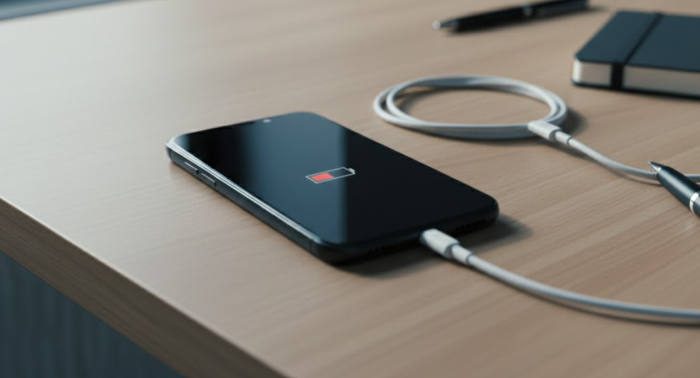
If you need to fix Android slow charging, you’re dealing with one of the most frustrating phone problems. You plug in your device, wait hours, and the battery barely moves. Your phone should charge fully in a couple of hours, but instead it’s crawling along at a snail’s pace.
Slow charging usually stems from a few common issues: damaged cables, dirty charging ports, outdated software, or power delivery problems. Most of these fixes take just minutes and don’t require any technical skills or special tools.
Why Your Android Charges Slowly
Charging speed depends on several factors working together. Your cable, adapter, charging port, and even your phone’s software all play a role. When one component fails or underperforms, you can experience Android charging issues.
Cables wear out over time, and internal wires break even when the outside looks fine. Cheap gas station cables will work, but usually aren’t built to handle fast charging speeds. Your wall adapter also might not provide enough power output for your specific phone model.
Dirt and lint accumulate in your charging port after months of being in pockets and bags. This buildup prevents your cable from making solid contact with the charging pins inside. Background apps and processes can also drain your battery faster than the charger can replenish it.
Pro Tip: Enable Airplane Mode while charging if you want the fastest possible charge time. This stops all wireless radios and prevents apps from syncing or downloading updates.
Check for Battery Drain
Apps running in the background can drain your battery faster than your charger can fill it. This makes it seem like your phone is charging slowly when really it’s just losing power at the same time.
- Go to settings and tap on Battery
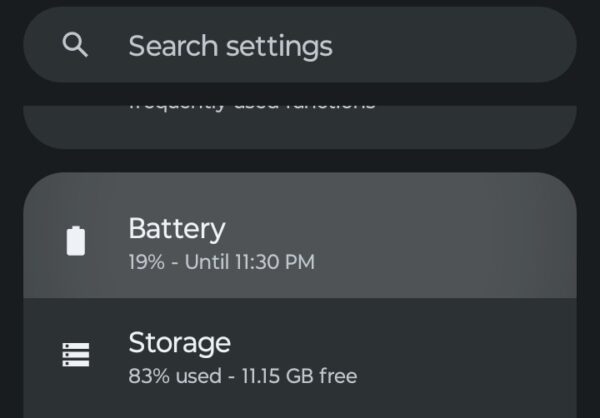
- Select Battery usage
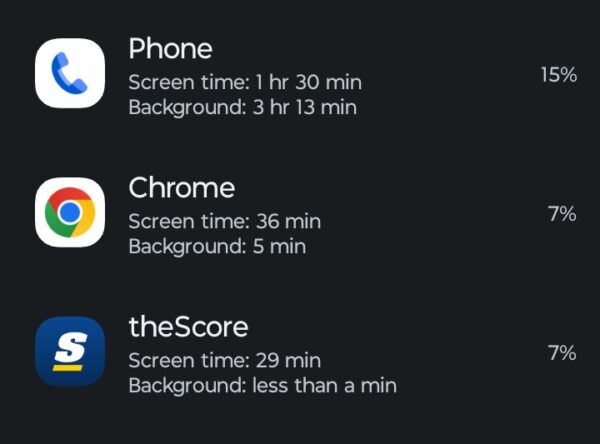
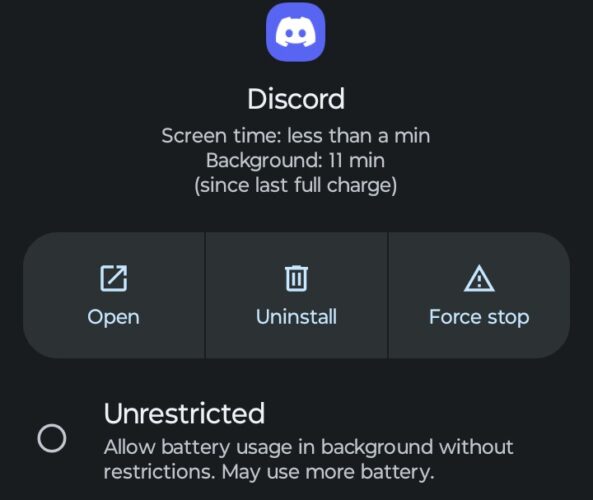
If you see an app or game pulling too much juice for your liking, you can stop that here. You can also force stop any apps you’re not actively using, and adjust specific power settings for apps on your Android device.
Check Your Charging Cable and Adapter
Damaged cables cause more slow charging issues than anything else. Inspect your cable for fraying near the connectors, exposed wires, or bent pins. Any visible damage means you need a replacement. Test with a different cable that you know works properly.
Your wall adapter matters just as much. Most modern Android phones need at least a 2-amp adapter for standard charging. Check the small print on your adapter. If it says 1 amp or less, try a different adapter with higher output. Wall outlets provide the most reliable power compared to computer USB ports, which max out at 0.5 to 0.9 amps.
Quality makes a real difference and can fix Android slow charging issues. Stick with your phone manufacturer’s original charger or buy from reputable brands that meet USB standards. Cheap knockoffs often can’t deliver consistent charging speeds.
Update Your Software
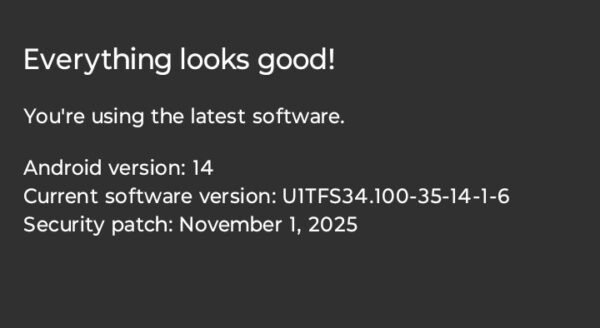
Android system updates sometimes include improvements to charging algorithms and battery management. Outdated software might not support your phone’s fast charging capabilities properly.
Go to Settings and scroll down to System. Tap System updates and select Check for updates. If an update is available, download and install it. After updating, restart your phone and test your charging speed.
Clean Your Charging Port
Lint, dust, and pocket debris pack into your phone’s charging port over time. This buildup stops your cable from connecting properly with the charging pins. Over time, you might notice your cable feels loose or doesn’t click into place firmly.
Power off your phone completely before cleaning. Grab a wooden or plastic toothpick. Gently insert the toothpick into the charging port and carefully scrape along the bottom and sides. Remove any lint or debris you dislodge.
Use a can of compressed air to blow out remaining particles. Hold the can upright and use short bursts to avoid moisture entering your phone. Shine a flashlight into the port to verify it’s clean.
Never use metal objects like paperclips or needles. They can scratch the port’s contacts or short-circuit components. Avoid cotton swabs as they leave fibers behind or push debris deeper.
Restart Your Phone
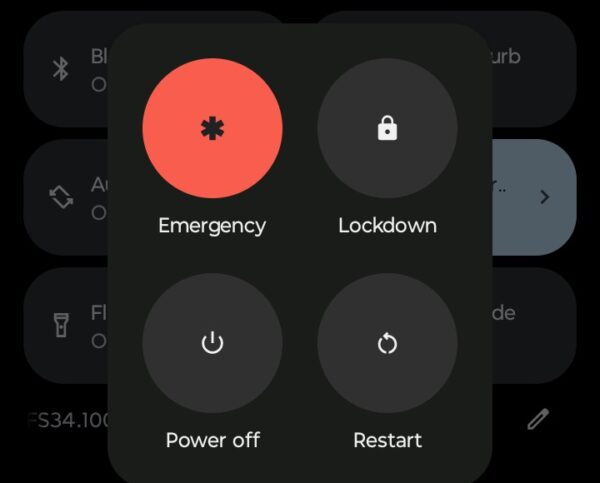
A simple restart clears temporary software glitches that can cause Android slow charging problems. Background processes sometimes interfere with your phone’s ability to accept a full charge.
Press and hold the power button until the power menu appears. Tap Restart or Reboot. Wait for your phone to fully restart, then plug in your charger and monitor the charging speed.
If your phone doesn’t have a restart option, press and hold the power button until the screen goes black. Wait 30 seconds, then press the power button again to turn it back on.
When to Replace Your Battery
Batteries degrade over time. After a few years, your battery might not accept a charge as quickly as it once did. Some Android phones include a battery health feature in Settings that shows your battery’s condition.
Go to Settings, tap Battery, and look for Battery health or Battery usage. If your battery health shows significant degradation (below 80%), you might need a battery replacement to restore normal charging speeds.
The Bottom Line
Most Android slow charging problems come from simple hardware issues rather than complex software bugs. Start with the basics by checking your cable and adapter, cleaning your charging port, and using a wall outlet instead of USB ports. These tips fix Android slow charging issues without needing repairs or replacements. If you’ve tried everything and your phone still charges slowly, your battery might be reaching the end of its lifespan.
Why is my Android charging slowly all of a sudden?
Your charging cable or adapter likely failed, or your charging port accumulated debris. Try a different cable and adapter first, then clean your charging port with a toothpick. Software updates can also sometimes cause temporary charging issues that a restart will fix.
Does fast charging damage my Android battery?
No. Modern Android phones include charging management systems that regulate power delivery to protect battery health. Fast charging generates more heat, but your phone automatically slows charging if temperatures get too high. Using your phone’s original charger or certified alternatives is safe.
How long should my Android take to fully charge?
Most Android phones charge fully in 1.5 to 2.5 hours with standard charging and under an hour with fast charging. Actual times vary by battery capacity and charger specifications. If your phone takes significantly longer, you have a charging problem that needs fixing.
Can I use my phone while it’s charging without slowing it down?
Yes, but intensive tasks like gaming or video streaming will slow charging because your phone uses power while trying to charge. For fastest results, leave your phone idle or in Airplane Mode while charging. Light tasks like texting won’t significantly impact charging speed.


Improve this guide


User forum
0 messages