
Microsoft Phone Link App for iPhone: Setup and Features Guide

 4 min. read
 Updated on
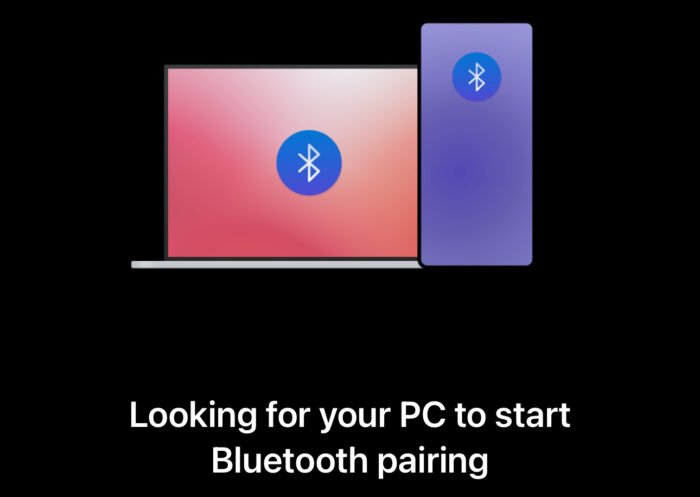
Switching between your iPhone and Windows PC breaks workflow. Microsoft Phone Link app for iPhone bridges this gap by bringing essential phone functions to your Windows desktop. Make calls, read messages, check notifications, and share files without touching your iPhone.
The iPhone experience differs from Android due to iOS restrictions. If you’re using an Android phone, check out our complete Microsoft Phone Link guide.
What Microsoft Phone Link Offers for iPhone
Microsoft Phone Link connects your iPhone to Windows 11 through Bluetooth. The app provides basic phone functions, but some iOS limitations prevent the deep integration Android users enjoy.
The Microsoft Phone Link app for iPhone supports calls, single-party text messages, notifications, contacts, and file sharing. You can dial numbers and answer calls while using your PC’s speakers for conversations, although text messaging works for one-on-one conversations only.
Now let’s talk about what doesn’t work. Group messages don’t sync, and image/video sharing through messages isn’t supported. Message history only displays messages sent while your iPhone and PC are actively connected via Bluetooth. iMessage features don’t translate to the PC interface at this time.
Requirements for Phone Link on iPhone
Your iPhone needs iOS 14 or higher. Windows 11 is required, and both devices must support Bluetooth Low Energy. A Microsoft account signed in on both devices is mandatory.
Setting Up Microsoft Phone Link for iPhone
Installation usually only takes about five minutes if Bluetooth and your devices all cooperate.
Install Phone Link on Windows
Make sure Bluetooth is active on both of your devices. Windows 11 includes Phone Link pre-installed. Press the Windows key, search for “Phone Link,” and select iPhone when asked.
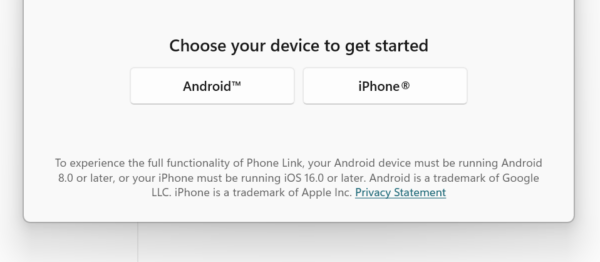
Scan QR Code from iPhone
Phone Link displays a QR code. Open the Camera app on your iPhone and point it at the QR code. Tap the notification to open in Safari and follow the prompts.
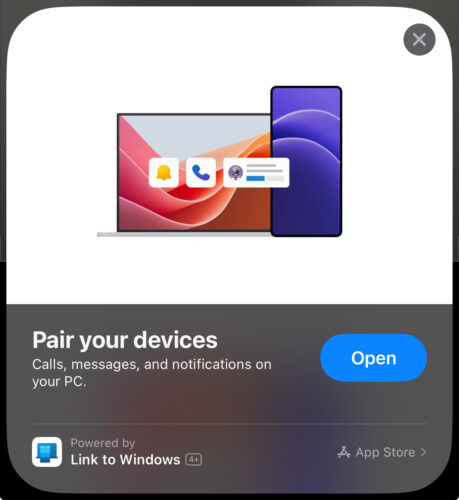
Configure Phone Link Features
Allow notifications, contacts, and messages permissions when prompted. Without these, corresponding features won’t work. Bluetooth pairing completes automatically. Open Phone Link settings after pairing and select the Features tab. Customize which apps send notifications.
Using Phone Link with iPhone
Once connected, Phone Link runs in the background on your PC. The apps must maintain Bluetooth connection for features to work.
Calls and Texts
Click Calls in Phone Link to access your iPhone’s dialer. Search contacts or enter phone numbers. Calls route through your PC’s speakers and microphone.
Messages display SMS and iMessages sent while connected. You can start conversations by clicking compose and typing messages using your keyboard. Only messages sent during an active connection appear. Group messages show as individual texts, and replies go only to that person.

Notifications and File Sharing
iPhone notifications appear in Windows Action Center. Dismiss notifications from your PC, and they clear from your iPhone.
Sending files through Phone Link is simple. Select files on your PC and choose your iPhone as the destination. Files are transferred through the Microsoft account cloud connection and saved to the Files app.
Limitations Compared to Android
Android users get significantly more functionality. App mirroring, full message history including group chats and images, and screen mirroring aren’t available for iPhone. Apple’s closed ecosystem prevents Microsoft from offering these features due to iOS API restrictions.
The Bottom Line
The Microsoft Phone Link app for iPhone provides basic connectivity between iOS and Windows. Calls and notifications work reliably, and text messaging functions adequately for one-on-one conversations. File sharing adds convenience for quick transfers, but users wanting to manage group chats or needing complete message history may be a bit disappointed.
No. Phone Link for iOS only supports iPhone devices. iPad users running iPadOS cannot connect to Phone Link.
No. Bluetooth connection is mandatory for Phone Link to function with iPhone. The app requires Bluetooth Low Energy support on both devices.
iOS restrictions prevent Phone Link from accessing group message threads. Group messages appear as individual texts from the last sender, and replies start separate one-on-one conversations.
Maintaining a constant Bluetooth connection increases battery consumption slightly. The impact remains minimal during normal use. Most users don’t notice significant battery drain.
No. Image and video sharing through messages isn’t supported for iPhone users. Use the dedicated file sharing feature to transfer photos instead.


Improve this guide


User forum
0 messages