
Understanding LineageOS: A Comprehensive Guide to This Popular Custom ROM

 4 min. read
 Updated on
Stock Android comes loaded with apps you didn’t ask for, bloatware you can’t remove, and tracking services that send your data to Google constantly. What is LineageOS? It’s the open-source alternative that gives you back control of your Android device.
LineageOS strips away unnecessary components, extends your device’s lifespan with continued updates, and puts privacy choices in your hands. Over 4.5 million devices worldwide run LineageOS as of 2025.
What is LineageOS?
LineageOS is an open-source Android operating system that replaces your phone’s stock firmware. Think of it as Android without the manufacturer bloat, carrier apps, or Google’s constant data collection. The project serves as the direct successor to CyanogenMod, which shut down in December 2016.
Community developers maintain LineageOS through collaborative efforts. Each supported device has a dedicated maintainer who handles updates and bug fixes. The project launched officially on December 24, 2016, when developers forked CyanogenMod’s open-source code and rebranded it.
What is LineageOS built on? It uses the Android Open Source Project as its foundation, then adds privacy features, customization options, and performance improvements. As of December 2024, LineageOS officially supports 196 devices spanning more than 20 manufacturers. The latest version, LineageOS 23, brings monthly security updates to devices that manufacturers abandoned years ago.
Key Features of LineageOS
This custom ROM delivers features that stock Android lacks. The Trust dashboard shows your device’s security status in real time and alerts you to threats. Permission Hubs let you control exactly which apps access your location, and you can set manual approval for sensitive permissions.
Protected Apps locks specific applications behind a secure pattern or PIN. These apps disappear from your launcher and require authentication. Sensitive call filtering excludes abuse hotlines from your call log. PIN scramble randomizes the unlock pad layout so people can’t guess your code by watching.
Performance improvements come standard. What is LineageOS doing differently? It removes manufacturer bloatware that consumes RAM and battery. Without constant connections to carrier servers and Google services, devices run faster, and batteries last longer. Users report smoother performance compared to stock firmware.
Customization exceeds what manufacturers allow. Button customization lets you rearrange navigation buttons. Custom Quick Settings tiles add shortcuts. The LineageSDK gives developers APIs to integrate apps with system-level features.
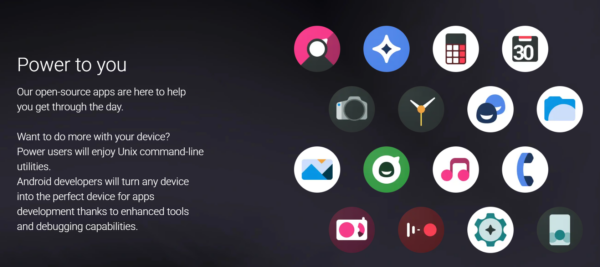
LineageOS vs. Stock Android
Stock Android ships with manufacturer skins, carrier apps, and Google services baked in. These additions consume storage space, slow down performance, and track your usage. Manufacturers typically abandon devices after two to three years.
LineageOS removes all bloatware by default. Google apps aren’t included due to licensing, though you can install them manually. Updates arrive regularly for supported devices regardless of manufacturer support. A Google Pixel 5 stopped receiving official updates in October 2023, but LineageOS brought Android 15 to those smartphones.
The tradeoff involves advanced features. Samsung’s proprietary camera modes, stylus support, and payment systems won’t work. Some banking apps and DRM-protected content may fail because LineageOS requires an unlocked bootloader.
Is LineageOS Right for You?
Three types of users benefit most from LineageOS. It’s a blessing for people with older devices that manufacturers abandoned. Your phone works fine, but security updates stopped years ago. LineageOS brings old devices back to life, like the LG V40 ThinQ, OnePlus 7 Pro, and Samsung Galaxy Note 10 Plus.
Privacy-focused users appreciate the complete control over data sharing without Google’s background tracking. You decide which apps get installed and what information leaves your device with LineageOS. Tech enthusiasts also enjoy LineageOS, considering it lets you modify system behaviors, install custom kernels, and tweak performance settings manufacturers lock down.
You shouldn’t install LineageOS if you rely on manufacturer-specific features. Samsung’s camera processing or proprietary stylus support won’t work. Banking apps may fail or need workarounds. The installation process requires unlocking your bootloader, which wipes your device and voids warranties.
If you’re considering LineageOS, check the official device list before assuming your phone works. Google’s recent changes mean some security patches arrive delayed compared to stock Android.


Improve this guide
User forum
0 messages