
Watch Videos on Android Auto: Current Options and Limitations

 4 min. read
 Updated on
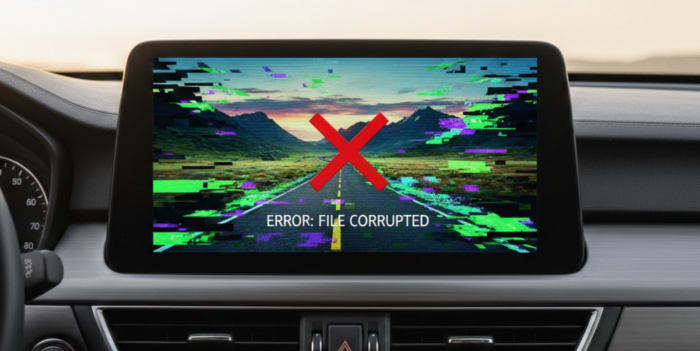
Watching videos on your car’s display sounds appealing for passengers on long trips or while parked. Android Auto’s large touchscreen seems perfect for streaming shows. The reality is that Google intentionally blocks video playback, and for good reason. While workarounds exist, they’re buggy, unreliable, and potentially dangerous if misused.
What is Android Auto?
Android Auto mirrors your smartphone’s interface onto your car’s infotainment display. The system provides simplified access to navigation, music, messaging, and phone calls while driving. Google designs the interface specifically for driving conditions with large buttons, voice controls, and minimal distractions.
The platform connects through a USB cable or a wireless connection. Google maintains strict control over which apps work with Android Auto, approving only those that meet safety standards. Video playback doesn’t meet those standards, so Google blocks video apps to prevent driver distraction.
Video Playback with Android Auto
Google disables video playback through multiple technical restrictions. The Android Auto app blocks video-capable apps from launching, and even if an app bypasses the block, the framework prevents video rendering.
The reasoning centers on safety. Distracted driving causes roughly 2.5 million crashes annually worldwide, and video presents a greater risk since it requires sustained visual attention.
Many countries prohibit video displays visible to drivers while moving, creating liability concerns for car manufacturers. Google avoids legal complications by blocking video entirely rather than trying to detect when vehicles are parked.
Official video support is coming through proper channels. At Google I/O 2025, Google announced that video apps will arrive on Android Auto for phones running Android 16 on select compatible cars. The implementation will restrict video playback to parked vehicles only, automatically pausing when the vehicle moves. YouTube is expected to be the first official app, though Google hasn’t provided a specific timeline for the public rollout.
Watching Videos on Android Auto
WARNING: These methods require technical knowledge, may void warranties, create security vulnerabilities, and could be illegal to use while driving. These workarounds are NOT recommended.
Third-party developers created apps that bypass Android Auto’s restrictions. These solutions work inconsistently and break frequently with Android updates. CarStream focused exclusively on YouTube playback. Android 14 broke compatibility for most users, though some report success using AAWireless wireless dongles with specific configurations.
The app no longer works reliably on modern Android versions, and development appears stalled with no recent updates addressing compatibility issues. Fermata Auto attempts broader video format support. User reports indicate significant bugs, frequent crashes, and compatibility problems that vary wildly by vehicle. Some cars work fine while others refuse to display video at all. Updates arrive sporadically without resolving fundamental stability issues.
All these solutions share common problems. Installation involves multiple technical steps that confuse average users, while security risks emerge from installing apps outside official channels. Updates to Android or Android Auto frequently break functionality, car compatibility varies wildly, and the apps themselves crash regularly or freeze the interface.
The Bottom Line
Watching videos on Android Auto isn’t worth the hassle with current workarounds. Third-party solutions break frequently, create security vulnerabilities, and demand technical knowledge most users lack. Google disables video playback for legitimate safety and legal reasons backed by crash statistics.
Official video support announced at Google I/O 2025 offers the right solution. Google’s implementation will restrict playback to parked vehicles on Android 16 devices with select compatible cars, providing reliable functionality without security risks.
Not officially. Third-party apps like Fermata Auto claim support for various streaming services, but they’re unreliable and violate terms of service.
The apps themselves aren’t illegal to install. Using them to watch video while driving violates distracted driving laws in most jurisdictions. Legal liability falls on the driver.
Manufacturers face liability if their systems enable illegal or dangerous behavior. They defer to Google’s restrictions rather than assuming that legal risk.
Compatibility varies. Some users report success with wireless connections while others find the apps only work via USB cable. Wireless Android Auto already introduces connection stability issues that compound video app problems.


Improve this guide
User forum
0 messages